Cincinnati Local SEO Playbook: Guide for Small Businesses

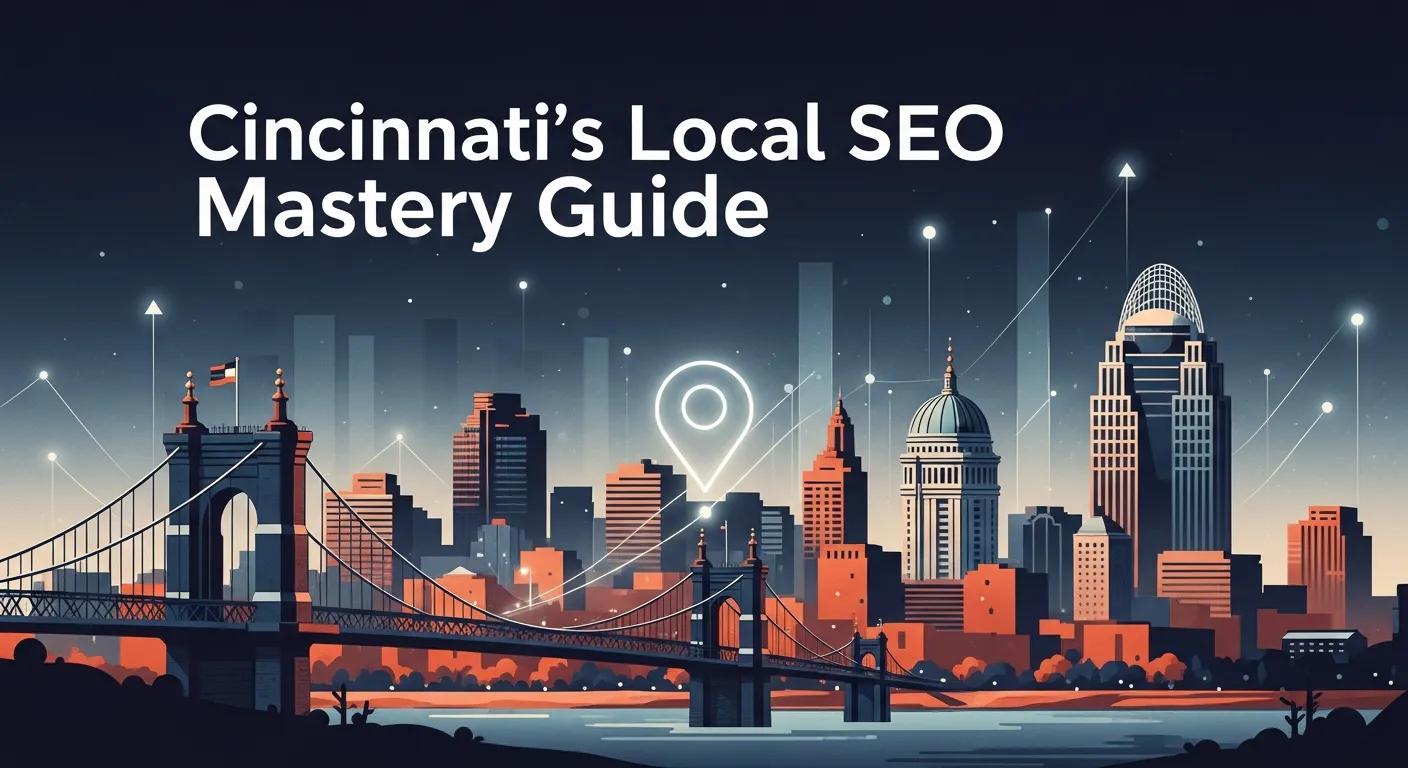
The Cincinnati Local SEO Playbook
Local SEO puts Cincinnati businesses where nearby customers are looking, in Google Maps, the Map Pack, and local search results that drive foot traffic and phone calls. This guide breaks down what local SEO is, why Cincinnati-specific signals matter, and which hands-on steps actually move the needle.
In this playbook, you'll learn:
- How to fully optimize your Google Business Profile for Cincinnati
- Local keyword research strategies specific to Cincinnati neighborhoods
- How to build citations and earn local backlinks
- Review management workflows that build trust and improve rankings
- Advanced tactics including voice search and LocalBusiness schema
Whether you run a restaurant in Over-the-Rhine, a home service company in Mason, or a retail shop in Blue Ash, this guide gives you clear, prioritized actions to lift local rankings and drive measurable customer actions.
Why Local SEO Matters for Cincinnati Small Businesses
Local SEO improves visibility for geographically relevant searches so Cincinnati businesses show up when nearby customers look for products or services. Search engines use clear local signals, including Google Business Profile completeness, consistent citations, on-page location relevance, and reviews, to surface high-intent results that lead to visits and calls.
The payoff is measurable: better Map Pack placement usually means more store visits, phone calls, and bookings. Understanding this cause-and-effect helps you focus on tasks with the biggest local ROI.
What Makes Cincinnati's Local Market Different?
Cincinnati's search landscape shifts between dense urban neighborhoods and spread-out suburbs, so your geo-targeting should reflect those differences:
Downtown and urban queries often reference landmarks and events, like "coffee near Fountain Square," "lunch in Over-the-Rhine," or "parking near Great American Ball Park."
Suburban searches use neighborhood names and service-area language, like "plumber in Hyde Park," "dentist near Kenwood," or "HVAC repair Anderson Township."
"Near me" and mobile queries spike around commute times and during events, so timely GBP posts and accurate hours matter for conversion.
Action items:
- Map neighborhood personas for your service area
- Create pages or posts that mention nearby landmarks and transit hubs
- Keep GBP hours updated, especially during events and holidays
How Local SEO Turns Searches Into Foot Traffic
Local SEO converts intent into action by surfacing businesses at the precise moment customers want to buy or visit. You can track this with GBP actions and GA4 conversions tied to calls, directions, and store visits.
Key metrics to monitor:
- GBP search and map views
- GBP actions (calls, directions, website clicks)
- Website traffic from local pages
- GA4 goals attributed to local landing pages
Improving GBP completeness and growing review volume often increases calls and driving-direction requests, which correlate with higher weekly foot traffic in retail and hospitality.
How to Optimize Your Google Business Profile for Cincinnati
Tuning your Google Business Profile (GBP) is the highest-impact local SEO task because GBP controls Map Pack visibility and most primary customer actions. If you need help with GBP management, we offer dedicated services for Cincinnati businesses.
How to Claim and Verify Your Listing
Claiming and verifying your GBP gives you control over how your business appears on Google Maps and local search.
Steps:
- Search for your business in Google Business Profile
- Select "Claim this business" or "Add your business"
- Follow Google's verification flow (postcard, phone, email, or video)
- If you're service-area only, use the service-area setting. Don't list an address unless customers visit you
Common pitfalls to avoid:
- Inconsistent NAP (Name, Address, Phone) across listings
- Duplicate listings for the same location
- Wrong category choices that don't match your primary service
What Information to Complete on Your GBP
Filling every relevant GBP field gives Google clear signals about what you do and where you operate.
| Field | Recommended Format | Notes |
|---|---|---|
| Business Name | Official legal or trading name | Avoid keyword stuffing; use your brand name only |
| Primary Category | Most specific single category | Pick the category that best matches your main service |
| Phone | Local phone number, consistent format | Use the same number across your site and all citations |
| Address / Service Area | Full address or clearly defined service area | Use service-area mode for home-based businesses |
| Hours | Regular and special hours listed accurately | Keep hours updated for holidays and events |
| Description | 750 characters max, keyword-rich but natural | Include Cincinnati, your services, and what makes you different |
How to Use Photos, Videos, Posts, and Q&A
Fresh media and regular activity signal authenticity to users and Google.
Photos and videos:
- Upload exterior signage, interior shots, team photos, and product/service images
- Include captions referencing Cincinnati neighborhoods when relevant
- Update photos quarterly at minimum
GBP Posts:
- Publish weekly posts promoting events, specials, or updates
- Include a clear call-to-action (call, visit website, get directions)
- Use local keywords naturally
Q&A:
- Proactively populate Q&A with common customer questions
- Provide clear, helpful answers to control the narrative
- Monitor for new questions and respond promptly
How to Use Google Business Profile Insights
GBP Insights reveal how customers find you and what actions they take.
Track these metrics weekly or monthly:
- Search queries that triggered your listing
- Direct vs. discovery searches
- Map and search views
- Website clicks, direction requests, and phone calls
- Photo engagement compared to competitors
Use query data to shape on-page keywords and FAQ content. Connect GBP Insights to GA4 goals where possible to measure downstream conversions.
Local Keyword Research for Cincinnati Businesses
Local keyword research finds the geo-modified queries Cincinnati customers actually use and prioritizes terms with real intent.
How to Find Geo-Targeted Keywords
Data sources to mine:
- GBP Insights query report
- Google Search Console performance data
- Competitor GBP text and service descriptions
- Local directory headings and categories
- Customer reviews (note how they describe your services)
Keyword modifiers to test:
- Cincinnati neighborhood names (Hyde Park, Oakley, Norwood, Covington)
- Landmarks (Fountain Square, Findlay Market, Newport on the Levee)
- "Near me" variations
- Service + location combinations
Industry examples:
- Restaurants: "late-night pizza Over-the-Rhine," "brunch Hyde Park"
- Healthcare: "same-day dentist Blue Ash," "urgent care Norwood"
- Home services: "emergency plumber Mason," "HVAC repair Anderson"
How to Add Local Keywords to Your Website
Place geo-modified keywords where they matter:
- Title tags: Include primary keyword + Cincinnati/neighborhood
- H1 headers: Match search intent with location modifier
- Meta descriptions: Natural inclusion of location terms
- URL slugs: Include neighborhood or city when relevant
- First 100-150 words: Establish location context early
- Image alt text: Describe images with location context
Build dedicated location pages for distinct service areas. For example, if you serve multiple Cincinnati neighborhoods, create pages like:
/web-design-blue-ash-ohio//web-design-mason-ohio//web-design-covington-kentucky/
Each page should have unique content about that specific area, not just the city name swapped out. This is exactly what we've done with our Ohio service area pages and Kentucky service area pages.
Building Local Citations and Backlinks
Citations and local backlinks prove geographic authority to search engines.
Cincinnati Directories to Prioritize
| Directory / Resource | Type | Submission Notes |
|---|---|---|
| Cincinnati USA Regional Chamber | Local authority | List via chamber membership |
| Cincinnati Business Courier | Editorial / high authority | Pitch local stories for placement |
| Cincinnati CityBeat | Local media | Event listings and local business features |
| Cincinnati.com / Enquirer | News / high authority | Press releases and local coverage |
| Yelp Cincinnati | Review platform | Complete profile with photos and services |
| Better Business Bureau (Ohio) | Trust signal | Accreditation and listing |
| Nextdoor | Neighborhood platform | Claim business page, engage locally |
Start with high-value Cincinnati directories, complete each profile fully, and keep your NAP consistent.
Why NAP Consistency Matters
NAP (Name, Address, Phone) consistency is a core local ranking signal. Search engines and customers rely on consistent contact data to verify legitimacy.
Audit workflow:
- Compile all current listings (use a tool like BrightLocal or Moz Local)
- Flag any discrepancies in name spelling, address format, or phone number
- Correct entries at the source
- Track updates and schedule quarterly audits
Local Link-Building Tactics That Work
Prioritize editorial mentions over low-value directory links:
- Sponsor neighborhood events or teams (youth sports, community festivals)
- Publish local resource content (neighborhood guides, "best of" lists)
- Pitch local reporters with story angles and data
- Co-marketing with complementary businesses (cross-promotions, joint events)
- Join local business organizations (chamber, neighborhood associations)
Event-based PR often performs well. Seasonal guides and neighborhood roundups create natural link opportunities.
Managing Reputation and Reviews
Reputation management builds trust and supports local ranking signals.
How to Encourage Positive Reviews
Ask for reviews at the right moment, after a successful sale or service, and make it easy for customers to leave honest feedback.
Effective workflows:
- Short in-person ask at point of sale
- Follow-up email or SMS within 24-72 hours with a direct review link
- Gentle prompt on receipts or invoices
- CRM automation to keep requests consistent
Sample in-person script:
"If you enjoyed your visit, would you mind leaving a quick review? It really helps other folks in [neighborhood] find us."
How to Respond to Reviews
For positive reviews:
- Thank the customer by name
- Reference a specific detail from their experience
- Invite them back
For negative reviews:
- Acknowledge the issue
- Apologize where appropriate
- Offer to resolve the problem offline
- Respond within 48 hours
| Platform | Best Use | Response Approach |
|---|---|---|
| Google Business Profile | Primary local discovery | Timely, professional; offer offline resolution |
| Yelp | High-impact for dining/retail | Brief empathy, clear resolution path |
| Community engagement | Conversational; invite DMs for details |
Which Platforms to Prioritize
Different industries benefit from different platforms:
- Restaurants/hospitality: Yelp, TripAdvisor, Google
- Healthcare: Healthgrades, Zocdoc, Google
- Home services: Google, Nextdoor, Angi
- Professional services: Google, LinkedIn, industry directories
Focus on 3-4 high-impact platforms rather than spreading thin across many low-value sites.
Advanced Local SEO Tactics
These strategies capture visibility that basic local SEO misses.
Voice Search Optimization
Voice search favors conversational long-tail queries and FAQ-style answers.
Tactics:
- Build FAQ pages framed as real customer questions
- Example: "Where can I find late-night coffee in Mount Adams?"
- Mark FAQs with FAQ schema for rich result eligibility
- Write short, direct opening answers (40-50 words) that could be featured snippets
- Track voice-driven traffic patterns in Search Console
Competitor Analysis
Basic competitor audit checklist:
- Compare GBP categories and completeness
- Analyze review velocity and average rating
- Review citation profiles (which directories are they listed on?)
- Check on-page keyword use and location pages
- Identify backlink sources with tools like Ahrefs or Moz
Look for gaps, such as underserved neighborhoods, missing content topics, or untapped link opportunities.
LocalBusiness Schema Markup
LocalBusiness schema gives search engines structured signals about your services and location.
Key fields to include:
name,address,telephoneopeningHoursandopeningHoursSpecificationgeocoordinatesaggregateRating(if you have reviews)areaServed(for service-area businesses)
Implementation:
- Use JSON-LD format (recommended by Google)
- Add to your homepage and location pages
- Validate with Google's Rich Results Test
- Monitor Search Console for schema errors
If you're not comfortable implementing schema yourself, our web design services include technical SEO setup, or our SEO plans can handle ongoing optimization.
Frequently Asked Questions
What are the key benefits of local SEO for Cincinnati businesses?
Local SEO increases visibility in local search results, leading to more foot traffic, phone calls, and website visits. By optimizing your Google Business Profile and maintaining consistent citations, you improve your ranking in the Map Pack, making it easier for Cincinnati customers to find you. Local SEO also builds trust through reviews and community engagement, driving higher conversion rates.
How can I track the effectiveness of my local SEO efforts?
Use Google Analytics and Google Business Profile Insights to monitor key metrics: website traffic, click-through rates, calls, direction requests, and conversion actions. Track your rankings for targeted local keywords and analyze review volume and response rates. Reviewing these metrics monthly helps you identify what's working and where to improve.
What role do online reviews play in local SEO?
Online reviews influence both search rankings and consumer trust. Positive reviews enhance credibility and can include relevant keywords that boost visibility. They also provide fresh content that signals activity to search engines. Actively managing reviews, responding to feedback and encouraging satisfied customers to leave reviews, significantly impacts local SEO performance.
How often should I update my Google Business Profile?
Update your GBP at least monthly, or more frequently if you have changes in hours, services, or promotions. Posting updates about events, special offers, or new products signals to Google that your business is active. Keep hours accurate, especially during holidays and local events.
What is NAP consistency and why does it matter?
NAP (Name, Address, Phone) consistency helps search engines verify your business's legitimacy and location. Inconsistent information across platforms creates algorithmic uncertainty and can hurt Map Pack placement. Audit your listings quarterly to ensure accuracy across all directories and citations.
How can I optimize my website for local keywords?
Conduct keyword research to identify geo-targeted terms relevant to your business. Incorporate these keywords naturally into title tags, headers, meta descriptions, and page content. Create dedicated landing pages for specific neighborhoods or service areas with unique content for each. Use schema markup to enhance search visibility.
What are effective local link-building strategies?
Engage with community events, sponsor local organizations, and collaborate with other businesses. Create valuable local content that media outlets may want to feature. Join local business directories and chambers of commerce. Build relationships with local influencers and participate in community initiatives.
Related Reading
The Complete Guide to Web Design in Cincinnati. Everything local businesses need to know about professional web design, including costs and how to choose the right designer.
Cincinnati Web Hosting: How to Choose the Right Provider. Compare local vs. national hosting and learn how hosting affects your site speed and SEO.
How to Design a Website: A Step-by-Step Process. Understand the web design process from inspiration to launch.
5 Signs Your Website Needs a Redesign. Find out if your current site is holding back your SEO performance and local rankings.
Need Help With Your Local SEO?
Implementing a complete local SEO strategy takes time and expertise. If you'd rather focus on running your business while professionals handle your online visibility, we offer:
- Google Business Profile Management. Setup, optimization, and ongoing management
- Growth & SEO Plans. Comprehensive local SEO including citations, content, and link building
- Website Maintenance. Keep your site fast, secure, and optimized
We serve businesses throughout Greater Cincinnati including Blue Ash, Mason, Norwood, Fairfield, Covington, Florence, Newport, and beyond.