

The title tag is the headline of your page as it appears in Google results and on the browser tab. The H1 is the main headline visitors read once they land on the page. They can say the same thing, but they do different jobs, and a local business site works best when each one is written on purpose. We hand-code websites for Cincinnati businesses, and these two lines are among the first things we look at on any page that should bring in calls.
TL;DR
- The title tag lives in the page's hidden
<head>and is written to earn the click in search results. The H1 is visible on the page and is written for the person who has already arrived. - They do not have to match. Google's Gary Illyes has said matching is not important, but both should describe the same topic.
- Aim for roughly 50 to 60 characters on the title tag so it is not cut off. The H1 has more room, but shorter is easier to read.
- Give each page one clear H1. Weak or mismatched titles are the ones Google is more likely to rewrite.
Table of Contents
- What the title tag is
- What the H1 is
- H1 vs title tag side by side
- Do they have to match?
- How Google uses both
- A worked example for a Cincinnati business
- How long should each one be?
- One H1 per page, and what comes after it
- Writing a pair that works together
- How to check your own pages
- Our perspective
- Get pages built with the right titles and headings
- FAQ
- Sources
What the title tag is
The title tag is a line of code in the <head> of a page, the part of the HTML that describes the page but is not shown in the page body. MDN, the web developer documentation project, describes the <title> element as metadata for the whole document, not part of the page content. You see its result in two places: as the blue headline in a Google search result, and on the browser tab.
Because it shows up before anyone visits, its job is to win the click. It has to tell a stranger, in a few words, that this page answers what they typed. For a local business that usually means the service, the place and your name: the three things a searcher in Cincinnati is scanning for.
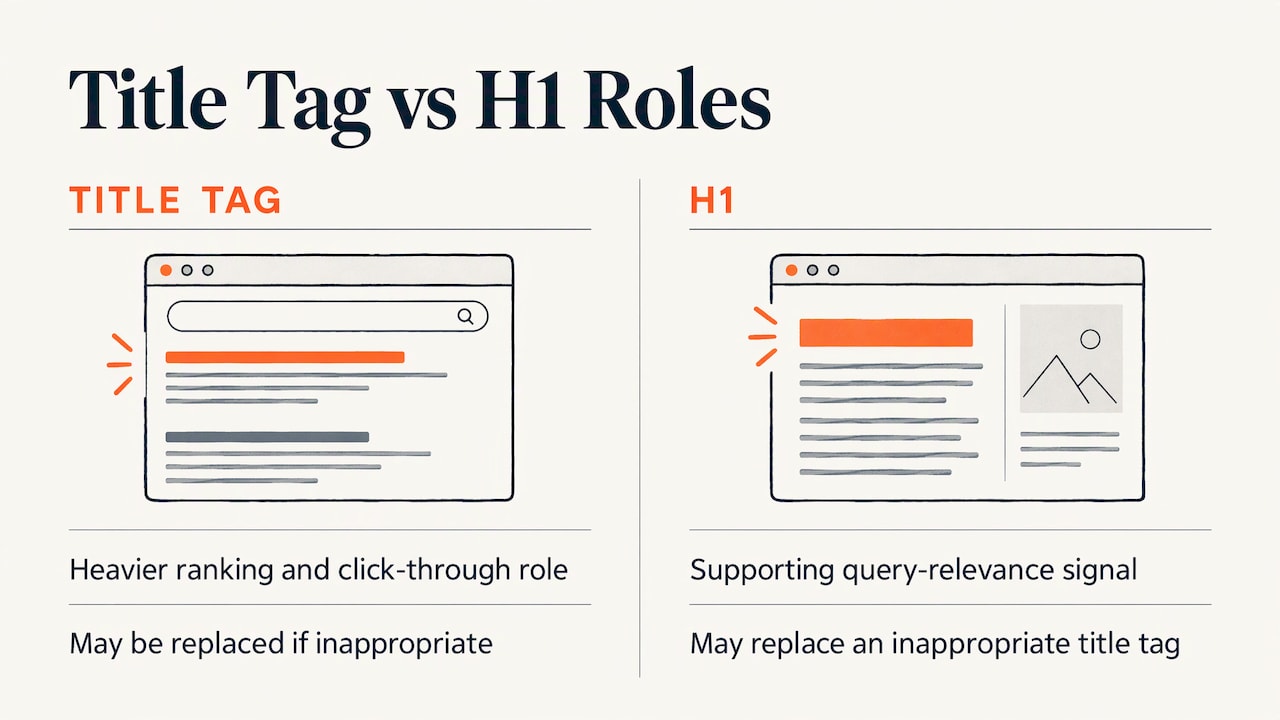
Search Engine Land's guide to title tags says the title tag is aimed mainly at search engines and clicks, and that it carries more ranking influence than the H1.
What the H1 is
The H1 is the top-level heading of the page, the largest headline in the body. MDN explains that the h1 element appears on the page and should generally be used once to mark up the title of the page content. It is what a visitor sees first after the click, and it confirms they landed in the right place.
The H1 is also a structural signal. The W3C, the body that sets web standards, says that on a page inside a larger site the H1 can lean on context. In its example the H1 can be just "Dogs" while the title must work anywhere, such as "Dogs - Your Guide to Pets" (W3C quality tip). The same tip notes that, unlike the title, an H1 can contain links and other inline HTML.
H1 vs title tag side by side
| Title tag | H1 | |
|---|---|---|
| Where it sits | In the <head>, never shown on the page | In the page body, visible at the top |
| Who reads it | Searchers, before they click | Visitors, after they click |
| Main job | Earn the click, signal the topic | Confirm the page matches the search, give structure |
| Length guidance | About 50 to 60 characters to avoid cut-off | No display limit, but short and clear reads best |
| Count per page | Exactly one | One clear main heading |
| Can hold links | No | Yes |
A useful way to remember it: the title tag is the cover of the book on the shelf, and the H1 is the title on the first page once you open it.
Do they have to match?
No. When Search Engine Journal asked this question of Google, Gary Illyes answered that it does not matter much: "just do whatever makes sense from a user's perspective." There is no penalty for identical wording, and no bonus for different wording.
So the real question is what serves the visitor. Three situations come up on local business sites:
- Identical is fine when one phrase does both jobs. "Furnace Repair in Cincinnati" works as a search result headline and as a page headline.
- Different is better when the search result needs extra detail that would feel clunky on the page, such as your business name or a qualifier, while the page headline can be warmer and more direct.
- Different is wrong when the two point at different topics. If the title promises "Emergency Plumber in Cincinnati" and the H1 reads "Welcome to Our Family Business," the visitor has to work to confirm they are in the right place.
The safe rule is that the two should agree on topic and intent even when the wording differs. Do not use the difference to cram in extra keywords. Repeating phrases in a title raises the chance Google swaps it for something else, as we explain below.
How Google uses both
Google does not simply print your title tag. According to Search Engine Journal's report, Google uses both the title element and the headings on a page as sources when it builds the title link in search results, and it may use a heading instead if the title element is not appropriate.
In practice, a page gets its title rewritten when the title is vague, stuffed with repeated terms or a poor fit for the query. The H1 is one of the places Google looks for a better line. That is the practical reason to keep both accurate: if they agree, whichever one Google picks tells the same story.
Search Engine Land's guide also points out that the H1 is a supporting signal. It helps confirm that the page is relevant to the query, while the title tag does the heavier lifting for rankings and click-through.
A worked example for a Cincinnati business
Take a made-up roofing company, Queen City Roofing, with a page about roof repair in the Cincinnati area. Here are three ways to set up the page.
Version A: both identical.
- Title tag: Roof Repair in Cincinnati, OH | Queen City Roofing
- H1: Roof Repair in Cincinnati, OH | Queen City Roofing
This is not penalized, but the brand name on the page itself is redundant, because the logo is already in the header.
Version B: same topic, different jobs.
- Title tag: Roof Repair in Cincinnati, OH | Queen City Roofing
- H1: Roof Repair for Cincinnati Homes and Small Businesses
The title carries the service, the place and the brand for the search result. The H1 drops the brand and speaks to the visitor. This is the pattern we would reach for first.
Version C: mismatched.
- Title tag: Roof Repair in Cincinnati, OH | Queen City Roofing
- H1: Built on Trust Since Day One
The H1 is pleasant, but it says nothing about the topic. A visitor who clicked for a roof repair has to scroll to confirm they are in the right place, and Google has nothing in the heading to confirm the page's subject.
A short tagline can still live on the page. It just belongs in the line under the H1, not in the H1 itself. If you are working on that top section of the page, our guide to what to put above the fold on a homepage covers the headline, the supporting line and the button together.
How long should each one be?
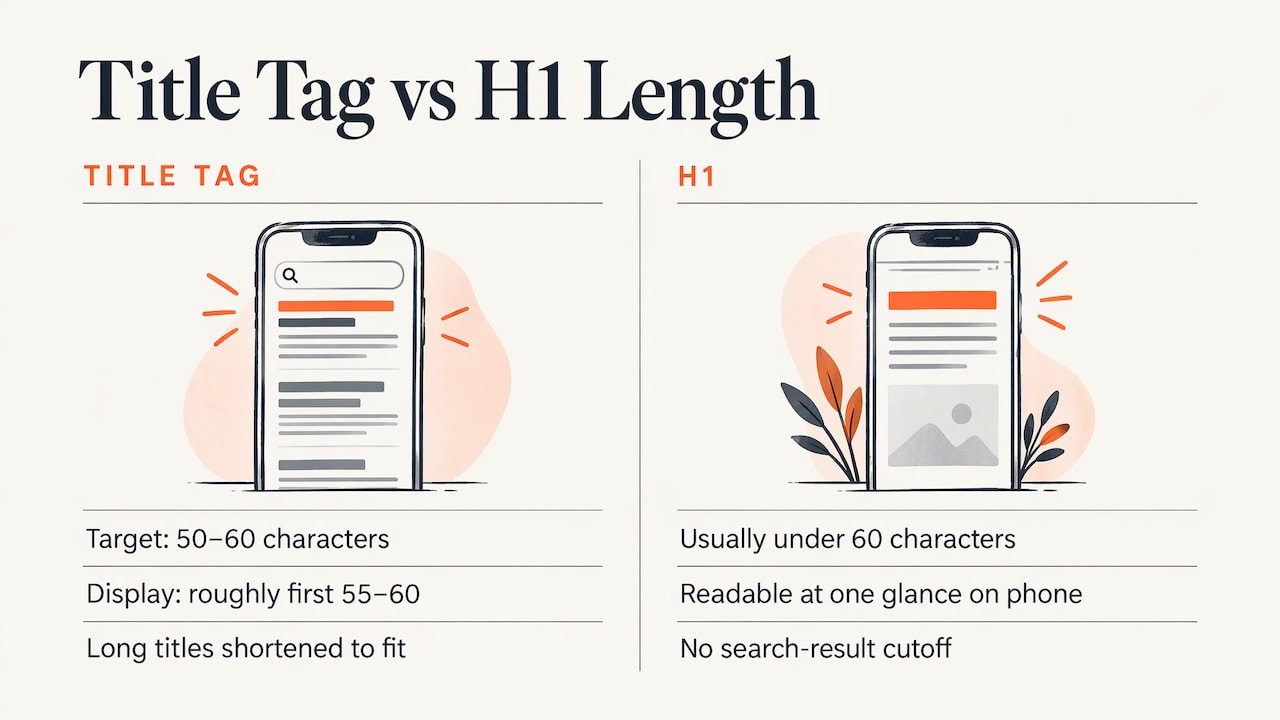
Title tag. Aim for about 50 to 60 characters. MDN notes that search engines typically display roughly the first 55 to 60 characters of a title. Search Engine Land gives the same 50 to 60 character target to avoid truncation or rewriting. Put the most important words, the service and the city, at the front, and the brand name last, so a cut-off costs you only the brand.
The figure is a display habit rather than a hard rule. Google sets no official length limit for titles and shortens long ones to fit the screen, so treat 60 characters as the safe zone, not a cliff.
H1. There is no search-result display to fit, so no cut-off to fear. A good H1 is short enough to read in one glance on a phone, usually under 60 characters as well, and long enough to say what the page is about. If your H1 wraps to four lines on a phone, trim it.
One H1 per page, and what comes after it
The common advice is one H1 per page. Search Engine Land's H1 guide says Google's documentation recommends a single H1, though Google's John Mueller has said pages with more than one are not penalized: "You can use H1 tags as often as you want on a page." So a second H1 will not sink you, but one clear main heading is easier for visitors, for search engines and for anyone updating the page later.
Below the H1, headings step down in order:
- H2 headings split the page into its main sections.
- H3 headings break those sections into smaller parts.
- Do not pick a heading level for its size. Size is a design choice, and heading level is about meaning.
On a service page, that might look like an H1 of "Furnace Repair in Cincinnati," H2s such as "What we fix," "Neighborhoods we serve" and "Pricing," and H3s under "What we fix" for each type of furnace problem. Our guide to building service pages that rank and convert shows how this structure fits the rest of the page.
Writing a pair that works together
Here is a quick routine for each page:
- Name the one thing the page is about. A page about water heater replacement should not also be about drain cleaning.
- Write the title tag first. Service, place, brand, in that order, within about 60 characters.
- Write the H1 for the visitor. Same topic, plainer and warmer. Skip the brand, since the logo already shows it.
- Read them as a pair. If someone clicked the title and saw the H1, would they feel they were in the right place?
- Do not repeat the keyword over and over. Say it once in each and move on.
- Give every page its own pair. MDN warns that duplicate or near-duplicate titles across a site can contribute to inaccurate search results, and it matters most for sites with many city or service pages.
For wording ideas that bring headline and title together, this walkthrough on optimizing headlines for SEO has practical examples of complementary titles and H1s. If you run several location or service pages, our piece on local landing pages that rank and convert shows how to give each one its own pair without copying and pasting.
How to check your own pages
You do not need special software to see both tags.
- Title tag: look at the browser tab, or right-click the page, choose View Page Source and search for
<title>. - H1: in the same page source, search for
<h1. You should find one that matches the large headline you see on the page. - In Google: search your business name plus the service and see which headline appears. If it differs from your title tag, Google has rewritten it, which is a prompt to check whether the title is vague, too long or off-topic compared with the H1.
Also check the common slips:
- A logo image marked up as the H1 on every page, so every page has the same main heading.
- A homepage H1 that is only your business name, with no service or city.
- A title tag that still reads "Home" or "Untitled."
- The same title on every service page.
These are on-page details, and they sit alongside the other items in our list of website page checks local businesses should fix first.
Our perspective
Most small business owners we meet have never seen their title tag. It sits in the code, nobody reviews it, and it ends up as whatever the site builder filled in on day one. Then they wonder why their search listing says "Home."
We hand-code every site we build. We do not use themes or page builders, so every page gets its own title and its own H1, written for what that page does. Because unlimited content updates are part of the monthly plan, a title that could be sharper does not turn into a billable change request. You tell us the service you want more calls for, and the wording follows.
Titles and headings are also only the start. They tell Google and visitors what a page is about, and they work best next to local signals such as Google Business Profile management, citations and reviews. That is why our Local SEO plan includes on-page optimization alongside the rest of the local work, and why we say a great website alone does not win on Google.
Yoshua
Get pages built with the right titles and headings
If you would rather not dig through page source, we build and maintain the site for you. Our Website plan is $99 per month with no upfront development cost, and it includes hosting, SSL, your domain, maintenance and unlimited content updates. A hand-coded, mobile-responsive site means each page can carry its own title tag and H1 from the start.

Already have a site that needs fixing? See our Website Redesign option, also $99 per month, or look at the full pricing page for the Local SEO plan at $299 per month and Google Review Automation at $99 per month.
FAQ
Is the H1 the same as the title tag?
No. The title tag is metadata in the page's <head> that shows in search results and on the browser tab. The H1 is a visible heading in the body of the page. They often cover the same topic, but they are two separate lines of code with two separate audiences.
Can I have more than one H1 tag on a page?
Yes, but it is not the best habit. Google's John Mueller has said there is no penalty for multiple H1s, yet Google's documentation recommends one per page. A single H1 keeps the page's main topic obvious to visitors and search engines.
Which matters more for SEO, the H1 or the title tag?
The title tag carries more weight, because it is the headline people see in search results and it influences clicks. The H1 supports it by confirming what the page is about and giving the page structure. Write both well rather than choosing one.
Is a good H1 enough if my title tag is weak?
Not reliably. Google may use your H1 to replace a weak title in results, but you cannot control when it does. Writing a clear title tag of about 50 to 60 characters puts the wording you chose in front of searchers.
Does the H1 need my city name?
For a page that targets local searches, working the city into the H1 or the title tag, ideally both once, tells visitors and search engines where you work. Do it naturally and once, rather than repeating it.
Sources
- Google: Should H1 & Title Tags Match? (Search Engine Journal)
- Title tags & page titles: How to write them (Search Engine Land)
- H1 tag best practices: Definition, strategy, and examples (Search Engine Land)
- What's in the head? Web page metadata (MDN)
- The title element (MDN)
- Use h1 for top level heading (W3C Quality Web Tips)