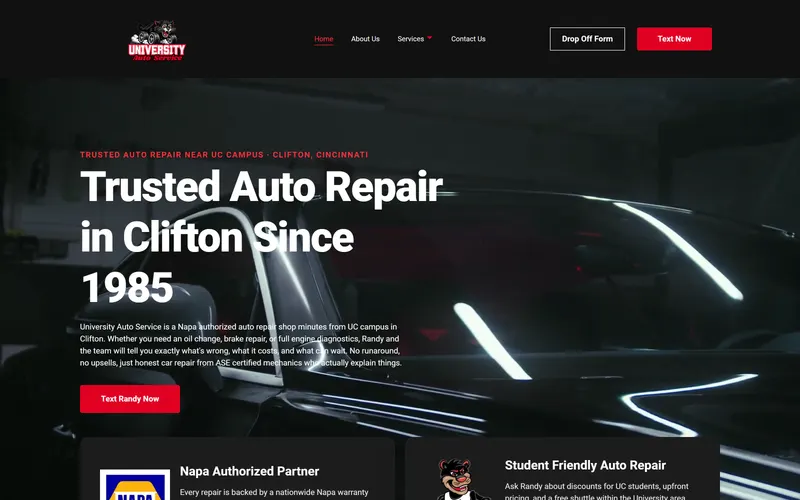

An Easy-to-Repeat Web Design Method
Creating a website from the ground up might be intimidating, particularly if you lack design experience. This is the personal method I've used to build professional websites for Cincinnati businesses. It's not a textbook "Web Design 101" manual, but a practical process that actually works.
Whether you're a small business owner trying to understand the process or someone learning web design, this step-by-step guide will give you a repeatable framework you can apply to any project.
In this guide, you'll learn:
- How to find design inspiration without copying
- The simple wireframing process I use for every project
- Why visual hierarchy makes or breaks your website
- The exact page structure that converts visitors into customers
- Why mobile-first design is non-negotiable in 2025
Step 1: Find Inspiration in Outstanding Designs
Studying effective website layouts is one of the best ways to hone your design abilities. I enjoy searching ThemeForest for the best WordPress themes and noting recurring themes, content configurations, and design tenets. Design is frequently influenced by pre-existing work and modified to suit your needs, so it doesn't have to be entirely unique.
Some websites have cutting-edge, experimental designs, but corporations don't always find them appealing. Similar to high fashion, what you see on the catwalk might not be appropriate for daily wear. When creating layouts for small to medium-sized enterprises, stay with simple, user-friendly, and polished designs.
Pro tip: Create a "swipe file" of websites you admire. I keep a folder of screenshots organized by industry, which makes it easy to reference when starting a new project for a Cincinnati business owner.
Step 2: Draw Your Layout on Paper
I begin creating a basic wireframe as soon as I identify design components that I like. I adhere four or five sheets of paper together, sketch up a rough layout in pencil, and then refine it with a marker. This is merely a basic concept for how the website should be organized; it doesn't have to be elaborate.
Why paper first? It's faster than any digital tool, you're not tempted to perfect details too early, and it forces you to focus on structure rather than aesthetics. Many of the websites in my portfolio started as rough sketches on notebook paper.
Step 3: Use Figma to Digitize Your Design
Following my sketching, I transfer my concept to Figma, a potent layout refinement tool. Here, I make my vision a reality by adding text, photos, colors, and spacing.
My typical design process:
- First Draft: I use my sketch to develop the basic design.
- Customer feedback: Typically, customers ask for improvements or new features.
- Refined Drafts: Following revisions, I complete the design and get it ready for development.
The design truly begins to take shape with the third iteration. This procedure guarantees that the finished website is organized properly and satisfies the expectations of the client.
Step 4: Visual Hierarchy Understanding
Important information is given priority on a superb website. Your most crucial information shouldn't be hidden beneath less crucial components. Here are a few top-notch visual hierarchy resources:
- Visual Hierarchy Guide by 2Stallions
- Adobe's Visual Hierarchy Principles
- Landing Page Design Video
- White Space in Design Video
The Significance of White Space
Cluttered content is one of the most common design errors I encounter. Websites with proper space appear more polished and are easier to navigate. I suggest:
- Top and bottom 50px padding for mobile sections
- Desktop sections with a padding of 75-100 pixels
- Paragraph line heights range from 1.4 to 1.5
- Headings with font sizes at least 1.5 times larger than paragraphs
The user experience and readability are greatly improved by these small changes. This is one of the key differences between hand-coded websites and WordPress templates, as custom code gives you precise control over spacing and typography.
Step 5: Website Structure
It is much easier to design when there is a clear structure. This is the structure I use for most Cincinnati business websites:
The Landing Section (Hero)
- H1: The primary emphasis (together with the most crucial keyword)
- H2: A synopsis of the services
- Call-to-action buttons: What are you hoping visitors will do?
Services Section
- Emphasize your primary offerings
- Make use of plain, visual cards (if at all possible, with icons)
About Section
- Describe the company's history
- Establish trust by demonstrating your knowledge and principles
Extra Content (Interaction & SEO)
- Google prefers pages with lots of content (the homepage should have at least 1200 words)
- Since consumers tend to remember the first and ending sections of a page the best, provide additional information in the center
- Think about including a section titled "Why Choose Us"
Gallery/Portfolio
- Display your finest work or case studies
- Link to individual project pages for more detail
Testimonials
- Finish with glowing client testimonials
- Provide a link to a specific testimonials page, as client reviews inherently contain keywords that enhance search engine optimization
The Footer
- Contact details
- Links to social media
- Sitemap (for SEO and navigation)
Designing a website becomes much easier when you adhere to this framework. You can see this structure in action on projects like EBS Global Solutions and EB Homes Painting.
Step 6: Prioritize Mobile
Mobile design is often neglected by page builders, which can result in sluggish, poorly optimized layouts. I design for phones first and then make adjustments for larger screens since I adopt a mobile-first strategy. This guarantees:
- Quicker load times
- Improved mobile device usability
- Higher Google rankings
Writing mobile styles first helps save needless loading and modifications because browsers interpret CSS from top to bottom. Google has made mobile-first indexing the standard, meaning the mobile version of your site determines your search rankings.
For Cincinnati businesses, this is especially important. Many potential customers are searching for local services on their phones while on the go.
Step 7: Steer Clear of Typical Web Design Pitfalls
1. Avoid Making the Design Too Complex
Clear, uncomplicated layouts are always more effective than busy, eye-catching ones. Your website exists to serve your customers, not to showcase every design trend.
2. Maintain Readability of Content
- Make use of legible fonts
- Avoid more than two or three font styles
- Make sure the background and text have a sharp contrast
3. Performance Optimization
- Reduce the number of animations and effects that cause load times to lag
- Make use of clean code and compressed images
- Consider professional web hosting that prioritizes speed
Concluding Remarks: A Repeatable Design Method
Here's a straightforward procedure to follow if you have trouble getting started with website design:
- Take inspiration from well-designed websites.
- Before using digital tools, make a rough draft by sketching on paper.
- Fine-tune the design in Figma by adjusting the content, colors, and spacing.
- Adhere to a systematic layout. Make use of a framework that facilitates content organization.
- Make mobile-first design your top priority to guarantee a seamless experience on all platforms.
Although there is a wealth of excellent information about design principles available online, many novices find it difficult to follow a consistent procedure. This manual offers a path that facilitates design while enabling you to hone and enhance your work with every project.
I hope this breakdown gives you the courage to build better websites. Have fun creating!
Related Reading
If you found this guide helpful, check out these related articles:
The Complete Guide to Web Design in Cincinnati. Everything local businesses need to know about professional web design in 2025, including costs, trends, and how to choose the right designer.
Hand-Coded Websites vs WordPress: What's the Difference?. Learn how the approach to building your website impacts speed, security, and long-term performance.
Cincinnati Web Hosting: Reliable, Fast, and Local Support. Why your hosting choice matters and what to look for in a provider.
How Much Does a Website Cost for a Small Business?. Compare DIY, freelancer, and agency pricing for Cincinnati businesses in 2026.
Need Help With Your Website?
If you'd rather have a professional handle your web design while you focus on running your business, I'd love to help. I build custom websites for Cincinnati businesses that are fast, mobile-friendly, and designed to convert visitors into customers.
Or check out my recent projects to see this design process in action.