
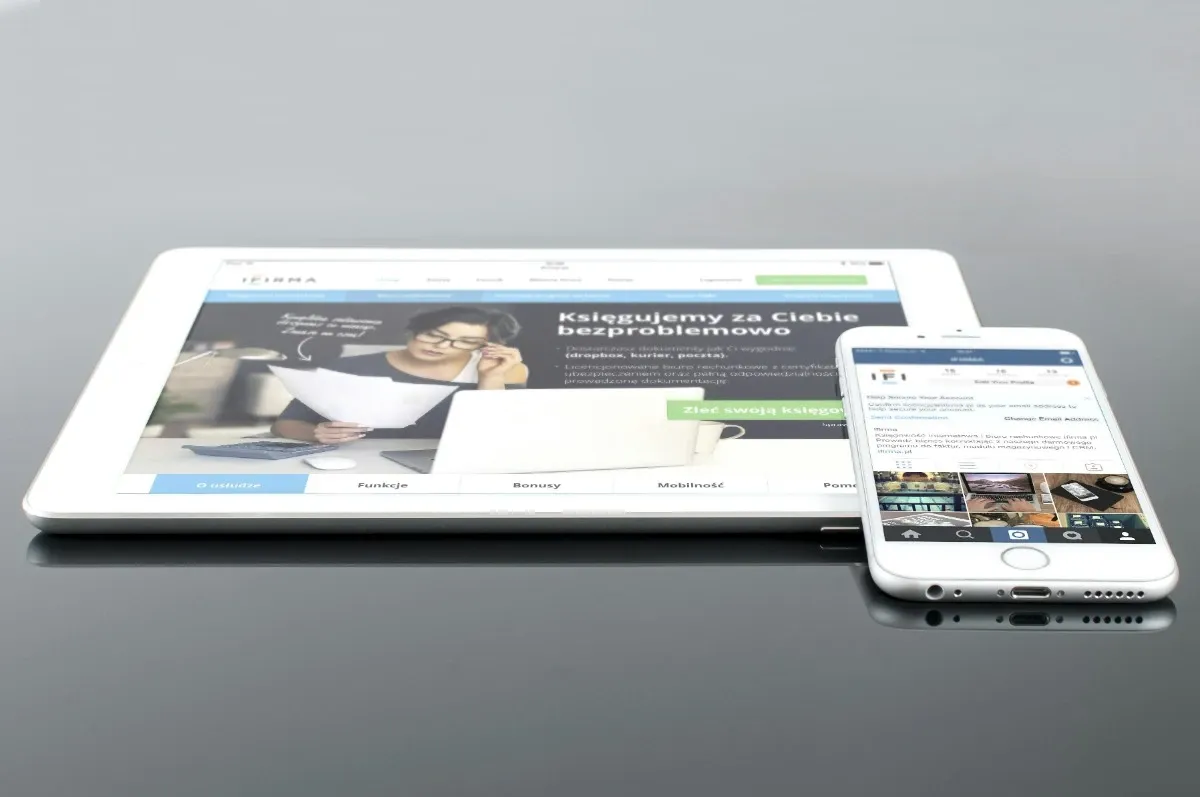
Mobile-First Website Design for Cincinnati Businesses (2026)
More than 60% of all web traffic now comes from mobile devices, and for local searches in Cincinnati, that number is even higher. When someone searches "best restaurant in Over-the-Rhine" or "plumber near me" while sitting in their car, they are on a phone. If your website was designed for desktop first and mobile second, you are delivering a compromised experience to the majority of your visitors.
Mobile-first website design flips the traditional approach. Instead of designing a desktop site and then squeezing it onto a small screen, you start with the mobile experience and build up from there. The result is a website that loads faster, converts better, and ranks higher in Google, especially for the local searches that drive Cincinnati businesses.
This guide covers what mobile-first design actually means, why Google demands it, and how Cincinnati business owners can ensure their websites meet the standard in 2026.
What Mobile-First Design Actually Means
Mobile-first design is a development philosophy where you design and build the smallest screen experience before anything else. It is not the same as responsive design, although the two concepts are related.
Mobile-First vs. Responsive Design
| Approach | Starting Point | Design Direction | Code Structure |
|---|---|---|---|
| Responsive | Desktop layout | Scales down to mobile | Desktop CSS as base, mobile overrides |
| Mobile-First | Mobile layout | Scales up to desktop | Mobile CSS as base, desktop enhancements |
Responsive design says: "Here is our desktop site. Let's make it work on phones too."
Mobile-first design says: "Here is the essential experience for phone users. Now let's enhance it for larger screens."
The distinction matters because the starting point determines what gets prioritized. When you design for desktop first, mobile becomes a compressed version of a layout that was never intended for small screens. Menus get crammed into hamburger icons, text becomes too small, buttons sit too close together, and load times balloon because you are downloading desktop-sized assets on a phone.
When you design mobile-first, every element earns its place on the smallest screen. Navigation is thumb-friendly from the start. Content is prioritized by importance. Images are optimized for mobile connections. Then, as screens get larger, you progressively add enhancements that take advantage of the extra space.
This approach produces cleaner code, faster loading, and a genuinely better experience on every device. It is one of the core principles behind our web design process.
Why Google Requires Mobile-First Design
Google completed its shift to mobile-first indexing in 2023, meaning the mobile version of your website is what Google uses to determine your rankings for all searches, including desktop searches.
What Mobile-First Indexing Means for Your Rankings
Before mobile-first indexing, Google crawled the desktop version of your site and used that to determine rankings. Now, Google crawls your mobile version first. If your mobile site is missing content, has broken functionality, or loads slowly, your rankings suffer everywhere.
This means:
- Content that only appears on desktop does not count for SEO
- Images hidden on mobile are not indexed
- Navigation links removed from mobile menus may not be crawled
- Mobile page speed directly impacts your ranking position
If your site was built five or more years ago with a desktop-first approach, there is a good chance you are leaving ranking potential on the table. Our guide on signs you need a website redesign covers the key indicators that your current site is holding you back.
Core Web Vitals on Mobile
Google measures Core Web Vitals separately for mobile and desktop, and the mobile scores carry more weight for rankings. The three metrics, Largest Contentful Paint (LCP), Interaction to Next Paint (INP), and Cumulative Layout Shift (CLS), are all harder to pass on mobile because of slower processors and variable network speeds.
A desktop-first site that scores 95 on PageSpeed Insights for desktop might score 45 for mobile. That mobile score is what Google uses for rankings.
How Cincinnati Residents Search on Mobile
Understanding how people in Greater Cincinnati use their phones to find businesses helps you design a mobile experience that converts.
Local Mobile Search Behavior
Mobile searches in Cincinnati spike during predictable moments:
- Morning commutes on I-71, I-75, and I-275: Searches for coffee shops, gas stations, breakfast spots
- Lunch breaks downtown and in Kenwood: Restaurant searches, quick service queries
- After-work hours: "Near me" searches for gyms, happy hours, home services
- Weekends: Family activities, shopping, dining, events at Fountain Square or the Banks
These searchers are high-intent. They are not browsing casually. They want a phone number, an address, a menu, or a quick answer, and they want it instantly. A mobile-first site delivers exactly that.
The "Near Me" Factor
"Near me" searches have grown consistently year over year, and they happen almost exclusively on mobile. When a homeowner in Norwood searches "electrician near me," Google considers page speed, mobile usability, and Google Business Profile signals to determine which businesses appear.
A mobile-first website with fast load times, clear contact information, and proper local SEO optimization captures these high-value searches. A slow, desktop-designed site loses them to competitors.
Common Mobile Design Mistakes That Cost You Customers
We audit dozens of Cincinnati business websites each year, and these mobile design problems appear over and over.
Tiny Tap Targets
Buttons and links designed for mouse clicks are often too small for thumbs. Google recommends a minimum tap target size of 48x48 pixels with at least 8 pixels of spacing between interactive elements. When buttons are smaller or too close together, visitors accidentally tap the wrong thing, get frustrated, and leave.
Unreadable Text
Text that looks fine at desktop size often shrinks to an illegible size on mobile. If visitors need to pinch and zoom to read your content, you have already lost them. Body text should be at least 16px on mobile, with line heights of 1.5 or greater for readability.
Slow-Loading Hero Images and Videos
Desktop hero sections often feature large background images or auto-playing videos. These are bandwidth killers on mobile. A 5MB hero image that loads in 1 second on office WiFi takes 8+ seconds on a 4G connection while someone drives through Clifton.
Horizontal Scrolling
Elements that extend beyond the viewport width force horizontal scrolling, which is disorienting on mobile and signals to Google that your layout is not mobile-friendly. Common causes include oversized images, wide tables, and fixed-width containers.
Intrusive Pop-Ups and Interstitials
Google specifically penalizes mobile pages with intrusive interstitials, pop-ups that cover most of the screen immediately after a page loads. Small, dismissible banners are acceptable, but full-screen takeovers on mobile will hurt your rankings and annoy your visitors.
Hidden or Broken Navigation
Some sites hide critical navigation elements on mobile to save space, making it impossible for visitors to find important pages. Others use JavaScript-dependent menus that break on certain devices or browsers. Your mobile navigation should be simple, reliable, and give access to every important section.
Mobile-First Design Best Practices
Here are the principles that produce high-performing mobile experiences for Cincinnati businesses.
Design for Thumbs, Not Mice
Most people hold their phone with one hand and navigate with their thumb. The easily reachable area, called the "thumb zone," is the lower two-thirds of the screen.
Best practices:
- Place primary CTAs (call buttons, contact forms) in the lower portion of the screen
- Use large, well-spaced buttons (minimum 48x48 pixels)
- Put navigation within easy thumb reach
- Avoid placing important actions in the top corners, which are hard to reach one-handed
Prioritize Content Hierarchy
Mobile screens force you to prioritize. You cannot show everything at once, so the most important information must come first.
Recommended mobile content order for local businesses:
- Business name and clear value proposition
- Phone number (click-to-call)
- Primary call-to-action
- Key services or offerings
- Social proof (reviews, testimonials)
- Address and directions
- Supporting content and details
Optimize Typography for Small Screens
- Body text: Minimum 16px, ideally 18px
- Headings: Use a clear size hierarchy but do not go too large (H1 should not dominate the entire screen)
- Line height: 1.5 to 1.7 for body text
- Paragraph length: Keep paragraphs short, 2-3 sentences maximum on mobile
- Contrast: Ensure strong contrast between text and background, especially outdoors in sunlight
Build for Speed
Mobile-first design naturally produces faster sites because you start with the minimal experience. But you should also implement:
- Optimized images: Serve WebP format with appropriate sizing for each screen width
- Minimal JavaScript: Only load scripts that are essential for the current page
- Efficient CSS: Write mobile styles as the base, adding desktop styles only through media queries
- Lazy loading: Defer loading of below-the-fold images and non-critical resources
- Font optimization: Limit custom font weights and use font-display: swap
For Cincinnati businesses, a site that loads in under 2 seconds on mobile is a competitive advantage. Learn more about the connection between speed and rankings in our guide on how to design a website that performs.
Make Contact Effortless
For local businesses, the primary goal of a mobile visit is usually a phone call, a form submission, or getting directions. Remove every barrier between the visitor and that action.
- Click-to-call phone number visible in the header on every page
- Sticky mobile CTA that stays visible as users scroll
- Short contact forms with only essential fields (name, phone, message)
- One-tap directions link to Google Maps
- Prominent business hours so visitors know you are open
Responsive vs. Mobile-First: Why the Distinction Matters for SEO
Many business owners assume their site is mobile-friendly because it is "responsive." But responsive does not automatically mean mobile-first, and the gap between the two has real SEO consequences.
The Performance Gap
A responsive site built desktop-first typically:
- Loads all desktop CSS, then overrides it with mobile styles (more code)
- Downloads full-size images before responsive attributes kick in
- Loads JavaScript intended for desktop interactions
- Has a DOM structure optimized for desktop layout
A mobile-first site typically:
- Loads only mobile CSS as default, adding desktop styles progressively
- Serves appropriately sized images from the start
- Loads minimal JavaScript, adding desktop-specific scripts only when needed
- Has a DOM structure optimized for the smallest screen first
The result is measurably faster mobile performance, which means better Core Web Vitals, higher rankings, and more conversions.
If your current site is responsive but was built desktop-first, a website redesign with a mobile-first approach can deliver significant performance improvements. We cover how to evaluate whether your site needs a redesign or just optimization in our redesign guide.
Testing Your Mobile Experience
Do not rely on shrinking your browser window to test mobile. Here is how to properly evaluate your site on mobile.
Manual Testing Checklist
Test these items on an actual phone (not just browser dev tools):
- Can you read all text without zooming?
- Can you tap every button and link without accidentally hitting adjacent elements?
- Does the navigation menu open and close smoothly?
- Can you complete a contact form without frustration?
- Does the page load in under 3 seconds on cellular data?
- Is the phone number clickable?
- Do images load quickly and display correctly?
- Is there any horizontal scrolling?
- Do pop-ups (if any) dismiss easily?
Automated Testing Tools
| Tool | What It Tests | Priority |
|---|---|---|
| Google PageSpeed Insights | Mobile performance, Core Web Vitals, usability | High |
| Google Search Console | Mobile usability errors across your entire site | High |
| BrowserStack | Real device testing across hundreds of phone models | Medium |
| Chrome DevTools | Device simulation, network throttling, performance profiling | Medium |
Run these tests monthly as part of your website maintenance routine. Mobile standards evolve, and what passed last year may not pass today.
When to Invest in a Mobile-First Redesign
If your website was built more than three years ago using a desktop-first approach, it is likely time for a mobile-first rebuild. The signals are clear:
- Mobile PageSpeed score below 50. Optimization can help, but a fundamentally desktop-first codebase has limits.
- Mobile bounce rate above 60%. Visitors are telling you the mobile experience is not working.
- Google Search Console mobile usability errors. These directly impact rankings.
- Declining local search visibility. Competitors with mobile-first sites are outranking you.
- Inability to update content easily. Older sites often make mobile content management painful.
A professional website redesign built mobile-first from day one eliminates these problems and positions your business for growth. Understanding the differences between platforms is also important, and our comparison of hand-coded websites vs. WordPress explains why platform choice affects mobile performance.
Frequently Asked Questions
What is the difference between responsive design and mobile-first design?
Responsive design starts with a desktop layout and scales it down to fit smaller screens using media queries. Mobile-first design reverses this process: you design the mobile experience first, then progressively enhance the layout for tablets and desktops. Mobile-first produces leaner code, faster load times, and a better user experience on phones because mobile is the primary design target rather than an afterthought.
How does Google's mobile-first indexing affect my website?
Google's mobile-first indexing means Google primarily uses the mobile version of your website for indexing and ranking. If your mobile site has less content, slower load times, or a poor user experience compared to your desktop version, your rankings will suffer across all devices. This has been Google's default indexing method since 2023, so every website is evaluated based on its mobile experience.
What are the most important mobile design elements for local businesses?
The most critical mobile design elements for local businesses include a click-to-call phone button prominently placed in the header, easy-to-find address with a link to directions, fast page load times under 3 seconds, touch-friendly navigation and buttons at least 48x48 pixels, readable text without zooming, and a simple contact form that is easy to complete on a phone screen.
How can I tell if my website is mobile-friendly?
Test your site using Google's PageSpeed Insights at pagespeed.web.dev, which evaluates both mobile performance and usability. Check Google Search Console's Mobile Usability report for specific issues. Then manually test on actual phones: try tapping buttons, reading text, filling out forms, and navigating the menu. If anything feels difficult or frustrating, your mobile visitors feel the same way.
Related Reading
Signs You Need a Website Redesign. Key indicators that your current site is outdated and costing you business.
How to Design a Website: A Step-by-Step Process. Understand the full web design process, from planning to launch.
Hand-Coded Websites vs. WordPress: What's the Difference?. Why platform choice matters for mobile performance and page speed.
Need a Mobile-First Website for Your Cincinnati Business?
Your customers are searching on their phones right now. If your website is not built mobile-first, you are losing those customers to competitors who are. We build fast, mobile-first websites that rank higher and convert better.
- Professional Web Design. Mobile-first sites built for performance and conversions
- Website Redesign Services. Transform your outdated desktop-first site into a modern mobile experience
- SEO and Growth Plans. Improve your mobile search visibility and local rankings
Get a Free Mobile Assessment →
We serve businesses throughout Greater Cincinnati including Mason, Blue Ash, Norwood, Fairfield, Loveland, Covington, Florence, Newport, and beyond.